Club feed
The club feed is where you post announcements for your members: tournament news, court closures, bar opening times. Members read them on your club page and on their Home screen.
Post an announcement
Section titled “Post an announcement”-
Open your club page and select the Feed tab.
-
Select Share an update with your members. The “Create announcement” dialog opens.
-
Add a Title (optional) and write your Message (up to 2,000 characters).
-
Select Add photos to attach up to 2 images (PNG, JPG, GIF or WebP, max 15 MB each).
-
Turn on Pin to top if the post should stay at the top of the feed.
-
Select Post. On Premium, with Email members ticked, the button reads Post & email members.
Where members see it
Section titled “Where members see it”Your posts appear in two places:
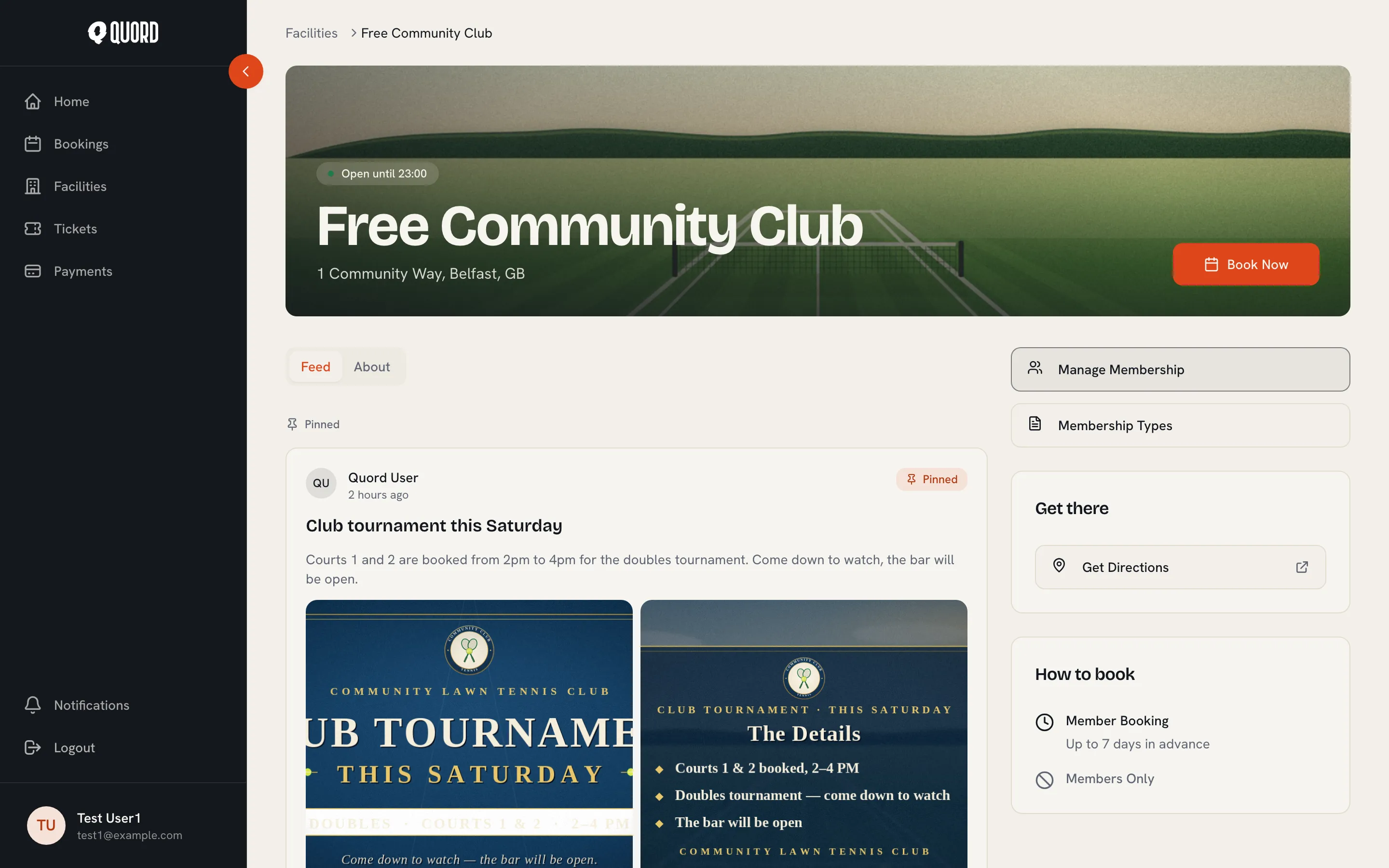
- The Feed tab on your club page. Pinned posts sit in a “Pinned” section above the rest, and anything a member has not read yet carries a “New” dot.
- Club updates on the member’s Home screen, which previews the latest post from each of their clubs with an unread count.
Email an announcement (Premium)
Section titled “Email an announcement (Premium)”On Premium, tick Email members in the composer to send the post to every current member’s inbox as well. Lapsed and cancelled members are not emailed.
Standard clubs post to the feed only; the email option does not appear.
Edit or delete a post
Section titled “Edit or delete a post”Open the menu on any post to Edit it (text, photos, or its pinned state) or Delete it. Deleting removes the post from members’ feeds permanently.