
Reports & VAT
Select Reports in the sidebar to open Revenue Reports, the analytics suite for your club. It is a Premium feature; what Standard clubs keep is covered below.
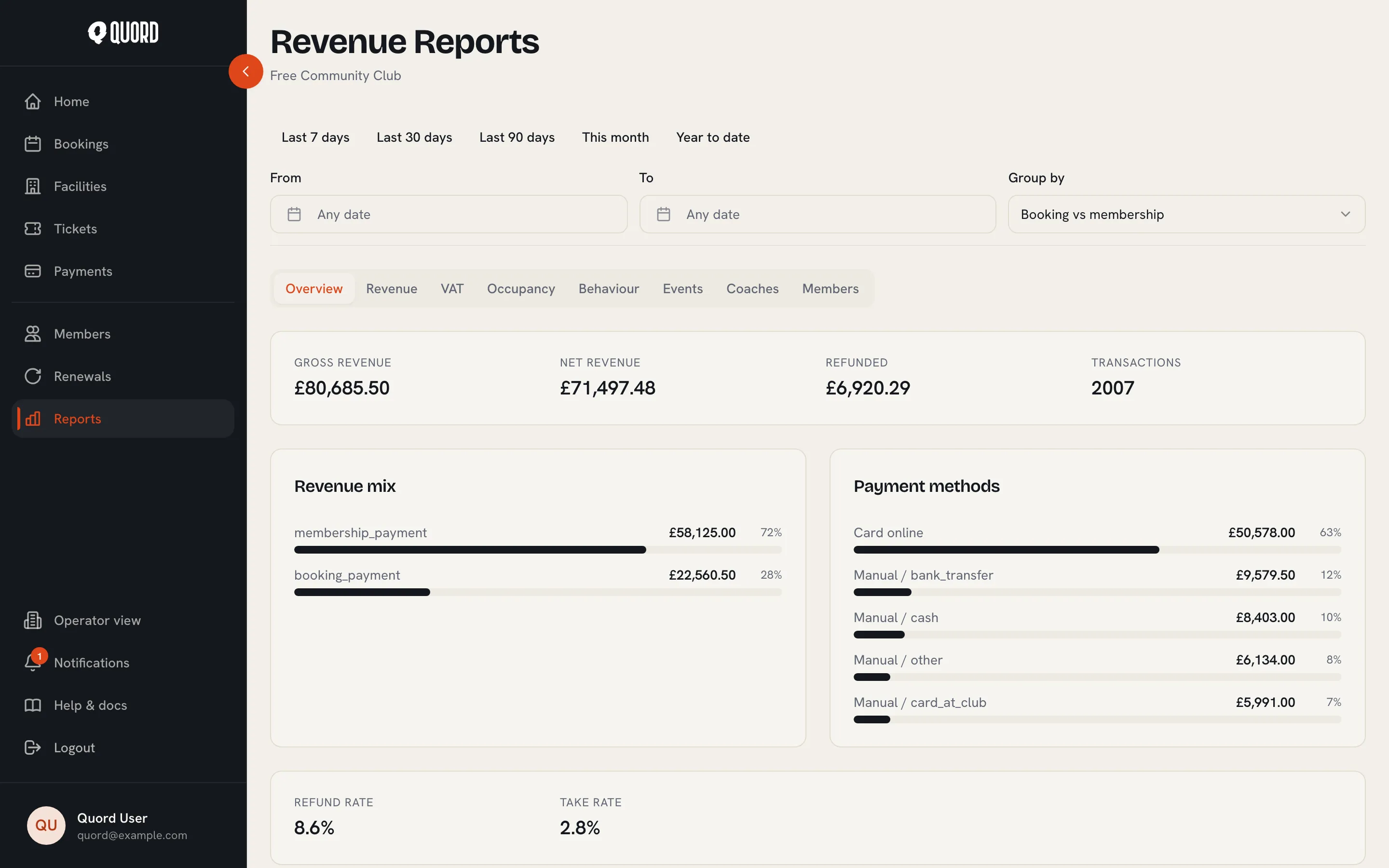
Filters
Section titled “Filters”Pick a preset (Last 7 days, Last 30 days, Last 90 days, This month, Year to date) or set your own From and To dates. Group by controls how the Revenue tab and its export are broken down: booking vs membership, court, sport, payment method, membership tier, or month.
The tabs
Section titled “The tabs”- Overview: the headline figures (gross and net revenue, refunds, transactions), trends over time, your revenue mix and payment method split, plus refund rate and take rate.
- Revenue: a summary table using your Group by choice, with gross, refunded and net amounts per group.
- VAT: the VAT summary for your accountant (see below).
- Occupancy: court and sport utilisation, booked against available hours, and a peak-times heatmap of your week.
- Behaviour: cancellation and no-show rates, booking lead times, the booking type mix, and the revenue impact of membership discounts.
- Events: tickets sold, sell-through and net revenue per event, with a breakdown by ticket type.
- Coaches: lessons, gross, refunded and net revenue per coach, with the online and offline takings split out for settling up.
- Members: active and lapsed counts, churn, plan distribution, engagement, and your acquisition funnel.
CSV exports
Section titled “CSV exports”The Revenue, VAT, Events and Coaches tabs each have an Export CSV action that downloads whatever the current filters show.
The VAT summary
Section titled “The VAT summary”The VAT tab totals taxed gross, VAT collected, VAT refunded, and net VAT for the period. Only payments where Stripe computed tax are counted; a note on the tab tells you how many captured payments were excluded.
On Standard
Section titled “On Standard”Standard clubs see an upgrade prompt in place of the report tabs. The two accountant basics remain: the members roster (Members page) and the payments ledger (Payments page) both export to CSV.