
Quick start for players
This page takes you from no account to a confirmed booking. Each step links to a fuller guide if you need more detail.
-
Create an account. Fill in the “Create an account” form with your name, date of birth, email and a password. If a club invited you by email, follow the link in the invitation instead; it signs you up and starts your membership in one flow. More in Create an account.
-
Find your club. Search the “Find a place to play” directory and open your club’s page, or use a link the club shared with you. More in Find a club.
-
Join it. On the club page, choose “Become a Member”. Pick a plan on the “Join the club” page, tick “I authorize recurring payments” if the plan renews, then choose “Pay with Stripe”. If the page says “Self-enrolment isn’t open”, ask the club for an invitation. More in Join a club.
-
Book a court. Choose “Book Now” on the club page. On the “Create Booking” screen, pick a date, a sport and how long you want to play, then choose an available slot in the grid or in the “By time” list. Add participants if the sport asks for them, review the details, and confirm. Paid slots go through Stripe checkout; free slots confirm straight away. More in Book a court.
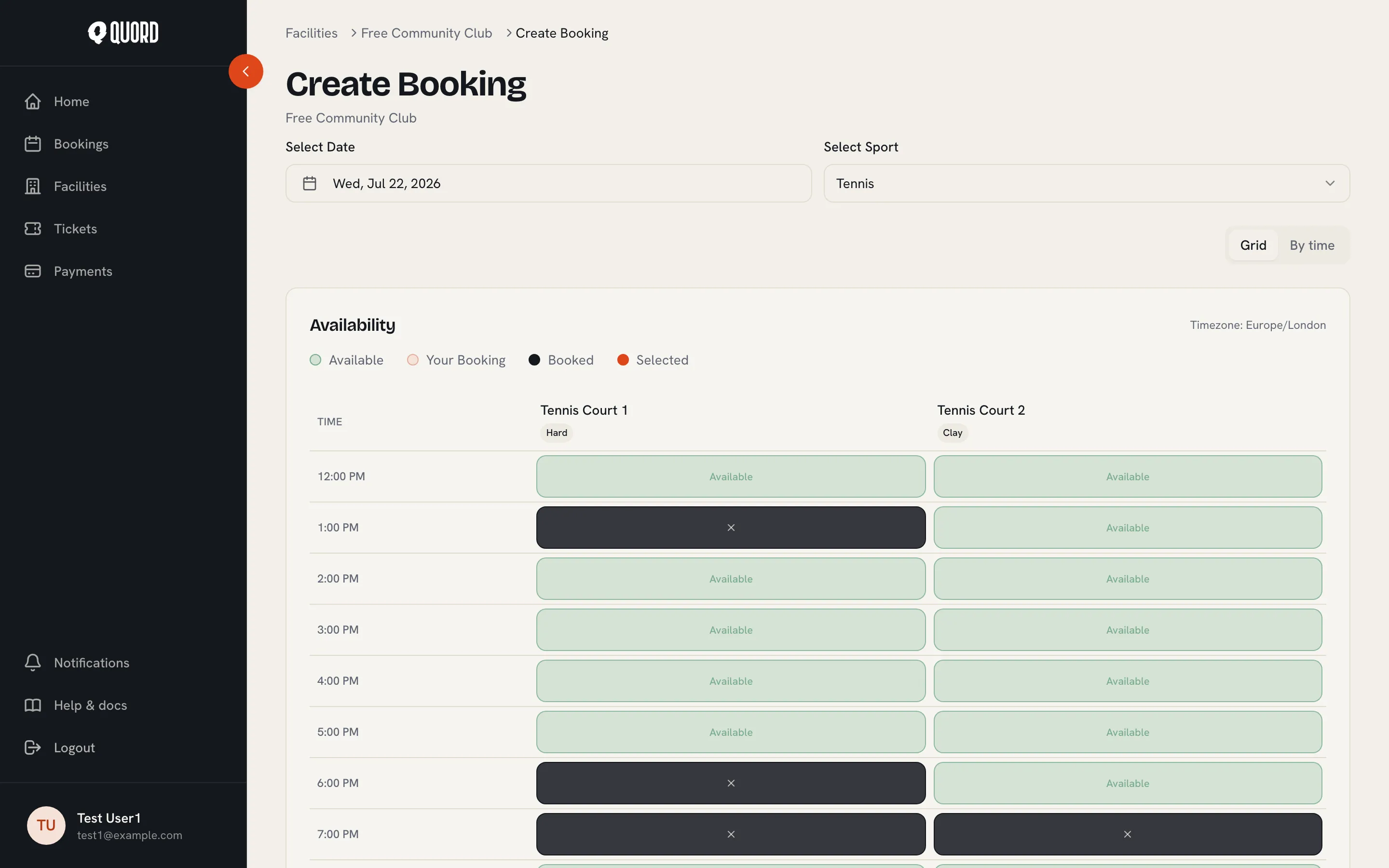
The times in the grid use the club’s timezone, and your club sets its own rules for how far ahead you can book and when you can cancel.