Payments
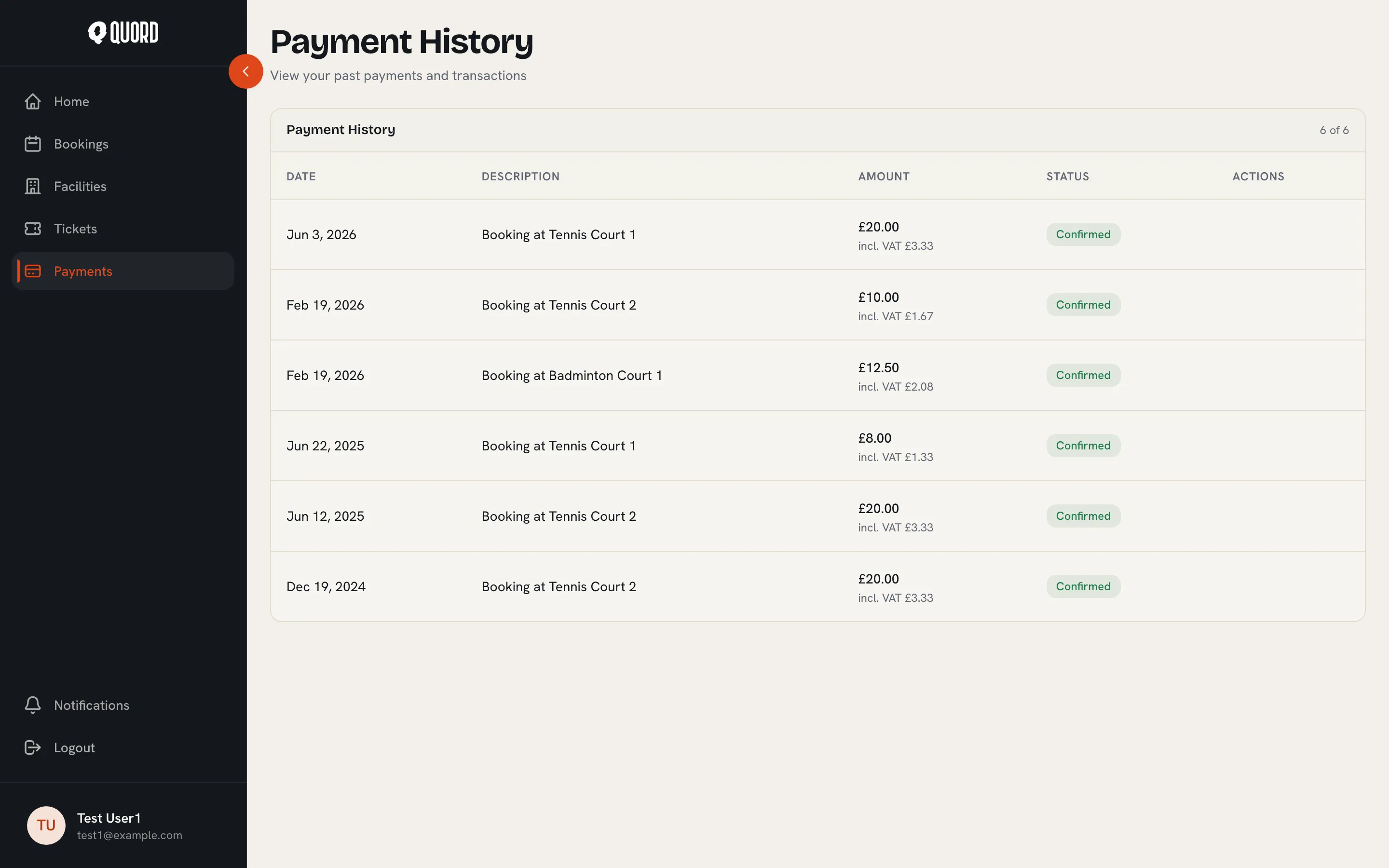
Choose “Payments” in the sidebar to open “Payment History”. It lists everything you’ve paid through Quord, newest first: court bookings, membership charges and event tickets.
Reading the table
Section titled “Reading the table”Each row shows the date, a description, the amount and a status. Amounts are what you actually paid; where VAT applies, the VAT portion is shown beneath the amount (for example “incl. VAT £3.33”). Payments taken at the club rather than online carry a “Paid offline” badge.
The statuses you’ll see most:
- “Confirmed” or “Paid”: the payment went through.
- “Pending”: still processing.
- “Failed”: the charge didn’t complete.
- “Refunded”, “Partially refunded” or “Pending refund”: money on its way back to your card.
If you pay for a family plan or book for a dependant, those payments appear in your own history. Covered members are never charged and have no invoices of their own.
Invoices
Section titled “Invoices”Rows that have an invoice show an “Invoice” button. It opens the invoice PDF in a new tab, ready to download or print.
Saved cards
Section titled “Saved cards”Cards are managed from your profile, not from this page. Open your profile and go to the “Payment methods” section. It lists each club where you have a card on file; cards are saved per club because every club processes its own payments.
“Manage cards” opens a secure portal hosted by Stripe where you can update or remove a card. Payments are processed by Stripe; Quord never sees your card number.